Plan a productive stay in Tulum with practical guidance on neighborhoods, internet backups, accommodation checks, airport arrival, transport, budgeting, safety, beach access, and accessible travel.
Tulum can support a rewarding remote-work stay, but the best plan begins with practical questions rather than a postcard view. Internet quality varies by area, current costs are difficult to verify broadly, and transport arrangements can change. Choose a base only after testing how its connection, workspace, location, and cancellation terms fit your actual workday.
The central choice is between workday convenience and a beach-centered setting. Recent local guidance presents town and Aldea Zama as more practical for fiber connections and coworking, while the coastal Hotel Zone may have more variable Wi-Fi. Treat that comparison as a useful starting point, not a guarantee for any building or room.

Tulum Airport Private Transportation to Tulum
Reliable service transportation from Tulum International AirPort TQO to Tulum Main Downtown , Hotel Zone Tulum and Hotel Zone Jaguar Park in the best...
Tulum remote-work essentials at a glance
- Ask for a recent speed test from the exact room or workspace you will use.
- Carry an independent mobile-data backup because connectivity can vary by neighborhood.
- Favor town or Aldea Zama when dependable work logistics matter more than immediate beach atmosphere.
- Confirm airport transport, final drop-off, luggage capacity, and accessibility before arrival.
- Build a budget from current written quotes instead of relying on a generic monthly estimate.
- Save emergency and consular contacts, and use qualified transport and tourism providers.
Is Tulum a good base for digital nomads?
Tulum is most suitable for remote workers who can verify their accommodation carefully and maintain a backup connection. It is a less comfortable choice for anyone who needs guaranteed service without testing, depends on precise public-transport schedules, or wants a verified fixed monthly budget before requesting local quotes. The available evidence does not support blanket promises about speed, costs, or mobility.
A flexible first booking reduces risk. Reserve a short initial stay with workable cancellation terms, inspect the desk and connection, then decide whether to extend. This approach is especially sensible for video editors, developers, teachers, and other workers whose income depends on stable uploads or uninterrupted calls.
Your schedule matters as much as your profession. List every call that cannot drop, the largest files you normally transfer, and the hours when you need silence. Send those requirements to a host before paying. A vague promise of “fast Wi-Fi” reveals much less than a recent test and a clear answer about where the router sits.
Where to stay for remote work
Tulum Pueblo for everyday practicality
Recent local guidance places town among the more practical choices for connectivity and coworking compared with much of the coastal Hotel Zone. Before booking, use a Tulum Pueblo travel guide to understand the town setting, then assess the exact property separately. Service can still differ between buildings, floors, rooms, and routers.
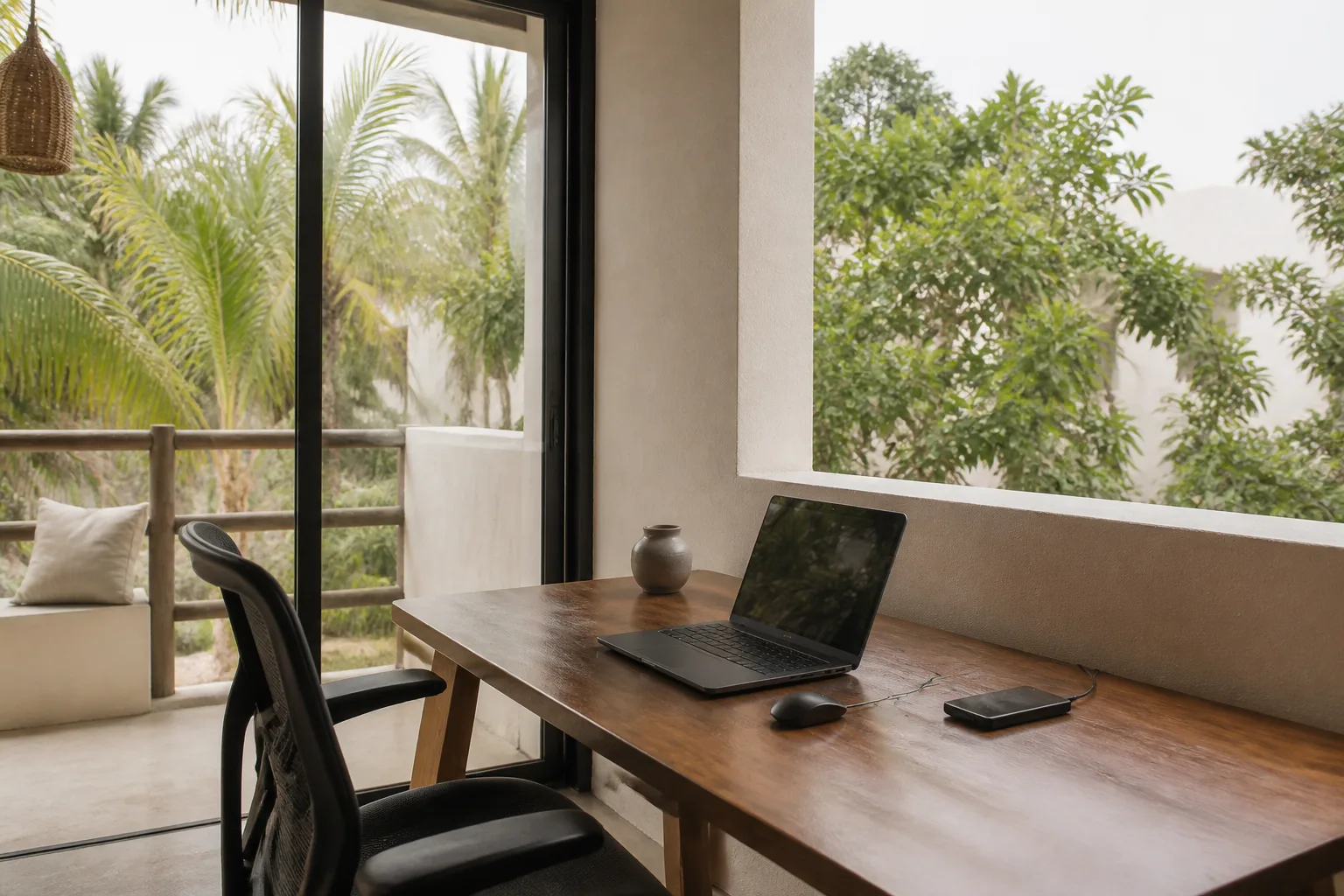
Town may suit workers who prioritize a functional weekday base over waking beside the coast. Ask how long it takes to reach any workspace you plan to use, but do not rely on an old travel-time estimate. Verify the current route and transport option with your accommodation because daily arrangements were not established by the available official evidence.
Aldea Zama for a work-oriented compromise
Aldea Zama is characterized by a recent local guide as one of Tulum’s stronger fiber and coworking zones. That makes it a sensible area to investigate when work comes first. The Aldea Zama Tulum guide can help you examine the neighborhood, but only a property-specific test can establish whether a particular rental meets your needs.
Request a live video call from the unit if your stay is long or your deadlines are unforgiving. Ask the host to connect to the rental’s Wi-Fi, run a test at the proposed desk, and show the chair, power outlets, natural light, curtains, and surrounding noise. Those checks turn a neighborhood-level recommendation into a room-level decision.
Hotel Zone for beach atmosphere
The Hotel Zone offers the beach-oriented atmosphere many remote workers imagine, yet recent local reporting describes coastal Wi-Fi as more variable than connections in town or Aldea Zama. Consult a Tulum Hotel Zone guide for an introduction to the area, then ask the property for current evidence about its connection and backup power arrangements.
A coastal stay is easier to justify when your work can tolerate interruptions or when you have already tested the property. Another option is to divide a trip: complete deadline-heavy days in a practical base, then move closer to the beach during lighter work. Confirm the second property independently rather than assuming all accommodation in one area performs alike.
| Area | Potential fit | Main check before booking |
|---|---|---|
| Tulum Pueblo | Workers prioritizing practical connectivity and coworking access | Test the exact rental and verify the route to your preferred workspace |
| Aldea Zama | Workers seeking an area associated with fiber and coworking | Confirm room-level speed, desk setup, noise, and backup options |
| Hotel Zone | Workers placing greater value on a beach-centered setting | Demand recent connection evidence and keep mobile data available |

All-Inclusive! Tulum Ruins, Tequila Tasting + Swim in 3 Cenotes in Small Group!
At Authentic Tours Tulum we believe in giving back to our community by utilizing locations, restaurants, and employe...

Tulum Instagram Photo Experience
Discover the most Instagrammable spots in Tulum carefully selected for this unique experience. Elevate your Instagr...

Tulum Ruins Guided Tour from Cancun and Riviera Maya
- Experience the ancient city of Tulum with our knowledgeable guides. - Enjoy our small group format and attention t...
How to verify internet before booking
Internet claims should be treated as time-sensitive. A recent local guide identifies neighborhood differences and recommends mobile data as a backup, but it is not an official telecom service standard. Published speed figures, provider coverage, coworking names, and prices can change. Verify each detail directly before depending on it for paid work.
- Request a speed test completed recently on the property’s normal Wi-Fi network.
- Ask whether the test came from the exact room, desk, or apartment being offered.
- Check download speed, upload speed, latency, and whether the result changes during your working hours.
- Ask how many units share the connection and what happens when service fails.
- Confirm that your phone can use an independent mobile-data plan in the area.
- Keep essential files available offline and identify a second place where you could work.
Upload performance deserves special attention if you send large media files or lead video meetings. Latency matters for live calls and remote desktops. A single download number cannot answer either concern. Repeat a test at more than one time of day after arrival, then complete a trial call before the first important meeting.
Build a two-layer connection plan
Use accommodation Wi-Fi as the primary connection and mobile data as an independent fallback. Avoid choosing two options that depend on the same router. If your role has strict attendance requirements, identify a separate coworking space or alternative workplace as a third layer. Confirm its present hours, day-pass rules, call policy, seating, and price directly with the operator.
Do not wait for a failure to test the backup. Connect your laptop to the phone hotspot, join a sample meeting, and check how quickly data is consumed. Keep charging cables and a power bank nearby. If you handle sensitive information, follow your employer’s security rules rather than assuming a shared network is appropriate.
Choosing a rental that works as an office
A beautiful room can still be a poor office. Ask for current photographs or video of the actual unit, not a representative category. Look for a real table, a supportive chair, accessible outlets, controllable light, ventilation, and a door that closes. Confirm whether construction, shared spaces, entertainment, or maintenance could overlap with your work hours.
Clarify what the quoted rate includes. Request written details for electricity, internet, cleaning, deposits, taxes, water, laundry, parking, and any usage limits. The evidence available for this guide does not establish dependable current rental prices, so a precise universal monthly budget would be misleading.
- Exact unit and floor
- Recent Wi-Fi test from the desk
- Private or shared router
- Desk and chair dimensions
- Noise conditions during work hours
- Electricity and internet inclusions
- Deposit and cancellation terms
- Procedure for outages or maintenance
Planning a realistic Tulum budget
No authoritative, complete set of current prices for rent, groceries, normal transport, coworking memberships, and insurance was found for this guide. Recent local sources provide some indicative SIM and coworking figures, but those numbers should not be treated as guaranteed. Build your budget with live quotes gathered for your dates and requirements.
Start with accommodation, then add connectivity, local movement, food, workspace access, insurance, and leisure. Include a contingency category for switching workspaces, buying extra data, or changing accommodation. A Tulum on a budget travel guide can provide a broader savings framework, but long-stay workers should still replace general estimates with written current prices.
| Budget category | What to request or record |
|---|---|
| Accommodation | Full rate, deposits, taxes, utilities, cleaning, cancellation terms |
| Connectivity | Mobile plan, coworking access, extra data, backup workspace |
| Transport | Current quote, luggage policy, pickup point, payment method |
| Food | Personal weekly allowance based on your cooking and dining habits |
| Work equipment | Adapters, cables, power bank, replacement accessories |
| Contingency | Funds for service failures, relocation, or unexpected work needs |
Compare totals rather than headline room rates. A lower-priced rental may lose its advantage if reliable work requires frequent paid workspace access or extra transport. A more expensive unit may still be poor value if it lacks a proper desk or dependable connection. Budget for the complete work system, not only the bed.
Still comparing Tulum Remote Work And Practical Stay?
Ask for tour ideas, hotel suggestions, or a simple trip plan that combines both.
Trip Helper
Arriving through Tulum International Airport
Tulum International Airport lists ground-transport coordination among its services. Its FBO information also lists assistance for passengers with reduced mobility. These references confirm the availability of airport-side services, but they do not prove that every public transfer, vehicle, stop, or accommodation entrance is step-free.

Arrange the complete journey before departure when possible. Confirm the provider, pickup location, destination, luggage capacity, payment method, and procedure for a delayed flight. The Tulum Airport to Hotel Zone transportation guide can help frame this arrival decision, but obtain a current quote and reconfirm the exact drop-off directly.
One airport website claims terminal-wide free Wi-Fi plus printing, scanning, workstations, and charging facilities. Its official status was not independently established in the research, and the official airport material located did not corroborate those details. Download reservation records and pickup instructions before flying, and do not make arrival logistics depend on terminal internet or business facilities.
Accessible arrival planning
Travelers with reduced mobility should request assistance in advance and describe the support required. Ask the airport and transport provider about the full route, including aircraft assistance, baggage collection, vehicle boarding, mobility-device storage, drop-off surface, steps, ramps, elevators, and the path into the room. Airport assistance alone does not establish an accessible door-to-door journey.
Getting around without relying on assumptions
The evidence gathered does not establish normal daily public-transport routes, fares, frequency, or accessibility. A Quintana Roo government notice shows that special transport schedules can be introduced for major events, which reinforces the need to check arrangements for your dates rather than applying event information to an ordinary weekday.
Plan movement around your recurring obligations. Mark your accommodation, preferred workplace, backup workplace, food options, and any weekly appointments. Ask each provider how the route works now and how long you should allow. Leave extra margin before calls because an optimistic estimate is not a substitute for a tested commute.
Municipal visitor guidance recommends using qualified transport and tourism providers. If renting a vehicle, it advises using certified agencies and obtaining insurance. Request terms in writing, inspect the vehicle, understand the coverage, and keep the provider’s contact details. Do not accept a service solely because it is convenient at the moment.
Safety habits for a longer stay
Tulum’s municipal guidance advises visitors to use qualified tourism and transport providers, follow signs and flags at beaches, cenotes, and public places, retain emergency and consular contacts, and report suspicious activity. These recommendations are sensible operating habits, but they are not a quantified assessment of local risk.
Save contacts offline and share your accommodation details with someone you trust. Keep copies of essential documents separate from the originals. When booking an activity, confirm the provider’s identity, meeting point, cancellation policy, and included safety equipment. Follow posted instructions even when other visitors appear relaxed about them.
Remote workers should also protect the workday itself. Back up important files, use account security required by your employer, and avoid discussing sensitive client information in shared spaces. Carry only the devices needed for that outing, and keep a recovery plan for lost hardware or blocked accounts.

Private Guided Cenotes and Underground River Exploration
Explore an underground river system and 2 cenotes at the same location. All the photos listed here you will see in p...

Tulum Ruins Tour (Private, Half Day)
On this private tour you will explore the amazing Tulum Ruins, located on the beautiful Tulum beach! Located in Tulu...
Tulum Instagram Photo Experience
Discover the most Instagrammable spots in Tulum carefully selected for this unique experience. Elevate your Instagr...
Beach access and time away from the laptop
Mexico’s federal tourism ministry announced new free public beach-access points in Tulum in November 2025 and said a similar measure would apply in 2026. The announcement does not establish which entrances were operating on July 19, 2026 or what conditions applied. Verify the current entrance, hours, permitted items, and local rules before setting out.

A guide to free things to do in Tulum can help shape low-cost downtime, but public beach access should still be checked locally on the day. At the coast, observe posted signs and beach flags. At cenotes and other public places, follow the site’s safety instructions rather than copying the crowd.
Protect focused work hours by planning leisure in advance. Add one simple outing to the calendar rather than letting every afternoon become an improvised expedition. Download directions, confirm the return plan, and leave enough time to reset before your next meeting. Sand inside a laptop keyboard is a memorable souvenir for all the wrong reasons.
A practical setup plan for your first week
- Before departure, save booking records, transport instructions, emergency contacts, and essential work files offline.
- On arrival, test the main Wi-Fi at the desk and during your normal working hours.
- Activate and test mobile data as a separate backup rather than waiting for the primary connection to fail.
- Inspect the workspace for seating, outlets, light, noise, and call privacy.
- Verify the route to a backup workplace and request its current access rules and price.
- Review your real first-week spending before extending accommodation or committing to a longer workspace plan.
Keep the first workday light if your schedule allows. Use it to repeat connection tests, learn the immediate route, buy only necessary supplies, and resolve room issues. Once the basics work under normal conditions, you can make longer commitments with better information and enjoy Tulum without wondering whether the next call will freeze.
Before committing to a longer stay
Extend only after the property has passed a real workweek. Review connection stability, noise, desk comfort, recurring travel, total spending, and the host’s response to problems. Request updated written terms before paying. If one part of the setup repeatedly fails, compare the cost of fixing it with the cost of moving.
Immigration permission, tax residency, employment authorization, health coverage, and employer rules depend on personal circumstances and were not established by the supplied evidence. Check them with the relevant authorities and qualified advisers before working abroad or remaining for an extended period. A travel article cannot determine your legal or tax position.
A strong Tulum setup rests on verification. Choose the area that matches your work priorities, test the exact connection, carry independent data, price the entire routine, and confirm transport directly. Once those pieces hold together, the beach can return to its proper role: a place to close the laptop, not troubleshoot it.
Frequently asked questions
Which part of Tulum is best for digital nomads?
Recent local guidance presents Tulum town and Aldea Zama as more practical for fiber connections and coworking than much of the coastal Hotel Zone. The coast may better suit travelers who prioritize beach atmosphere, but its Wi-Fi can be more variable. Verify the exact property because neighborhood guidance is not a service guarantee.
Is the internet in Tulum reliable enough for remote work?
It can be workable, but the evidence indicates uneven connectivity between neighborhoods. Ask for a recent speed test from the exact room, test during your normal hours, and maintain a separate mobile-data backup. Do not treat published speeds as guaranteed.
How much does a month in Tulum cost for a digital nomad?
The available evidence does not support a dependable universal monthly figure. Current authoritative price lists were not found for rent, groceries, routine transport, coworking, and insurance. Build a personal total using written quotes for your dates, utilities, connectivity, transport, food, workspaces, and contingency costs.
Does Tulum International Airport have Wi-Fi and work facilities?
One airport-branded website claims free terminal Wi-Fi, charging, printing, scanning, and workstations, but its official status was not independently established and the official airport material located did not corroborate those facilities. Download essential information before flying and verify services directly.
Is accessible airport assistance available in Tulum?
The airport’s FBO information lists assistance for passengers with reduced mobility. This does not confirm that every transfer, vehicle, stop, or accommodation is step-free. Request assistance in advance and verify each part of the door-to-door journey.
Are Tulum’s public beaches free to access?
Mexico’s tourism ministry announced new free public beach-access points in November 2025 and said a similar measure would apply in 2026. The evidence does not establish which entrances were operating on July 19, 2026 or their conditions, so verify the current access point and rules locally.
What safety precautions should remote workers follow in Tulum?
Municipal guidance recommends qualified tourism and transport providers, certified rental agencies with insurance, attention to signs and flags, saved emergency and consular contacts, and reporting suspicious activity. Remote workers should also back up files and follow employer security requirements.
Experiences to explore
 Explore experience ↗
Cancun Airport to Tulum Hotels Arrival/Departure Transfer
◷ 1 hr 30 min–1 hr 50 min
With this convenient and affordable service, you won't have to worry about scheduling a taxi or trying to navigate on your own. Our com
From $54.67 USD
View dates Explore experience ↗
Private Kitesurfing Lessons in Tulum with a Private Beach Access 3hrs
◷ 3 hr
Tulum is a world Kite paradise were you will enjoy great wind conditions and non-crowded water space. . We start the 3hour in trained i
See dates for Current pricing
View dates Explore experience ↗
Cancun airport to Riviera Maya transfer (arrival or departure)
◷ 50 min–1 hr 5 min
Enjoy private transportation with direct service at the airport in the private transportation area without waiting for a bus in vehicle
See dates for Current pricing
View dates